Backups and audit log
Backups
Every overwrite and every deletion made from Roastgate keeps the previous content of the file, in Roastgate's database. The 30 most recent backups of each file are kept.
A change that nginx refused leaves no backup behind, since it would only repeat the current file.
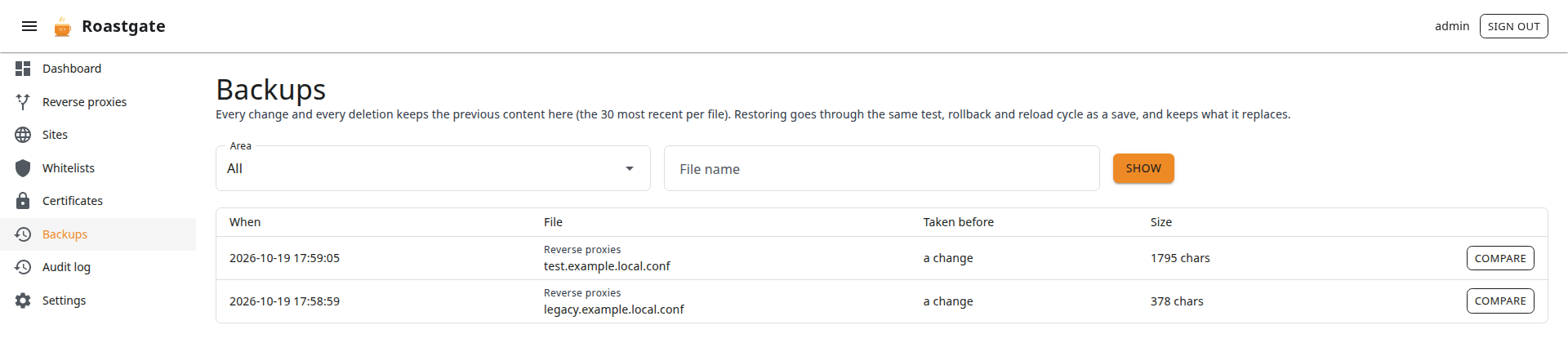
Open Backups from the menu, or from the history link of any file. Filter by Area (reverse proxies, sites, whitelists) and File name, then click Show.
Each backup shows when it was taken, the file, what change it was taken before, and its size.
Compare and restore
Click Compare to see the version next to the current file, line by line: what restoring would add and remove.
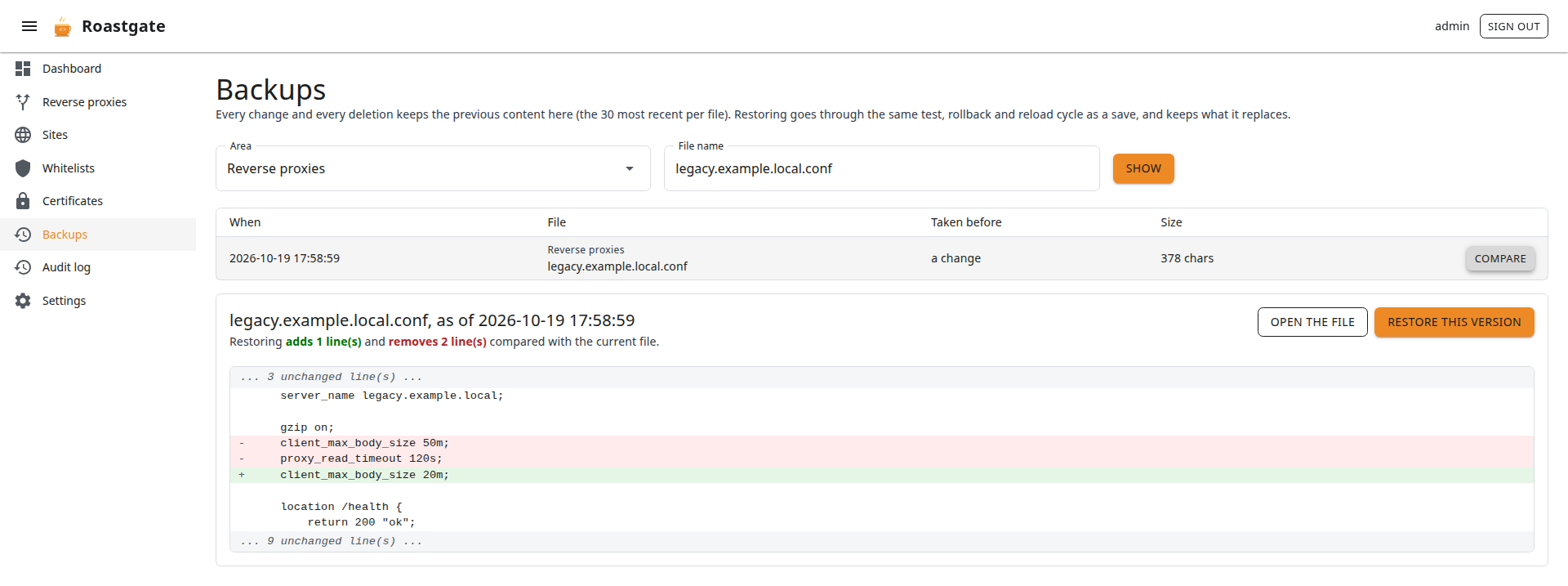
- If the file was deleted since, restoring creates it again.
- If the version is identical to the current file, restoring changes nothing.
Click Restore this version. A restore goes through the same cycle as a save: backup of the current file, write, nginx -t, rollback if invalid, reload if valid. So a restore can itself be undone.
Audit log
The Audit log page lists the 200 most recent actions, newest first: time, actor, action, target, result and details.
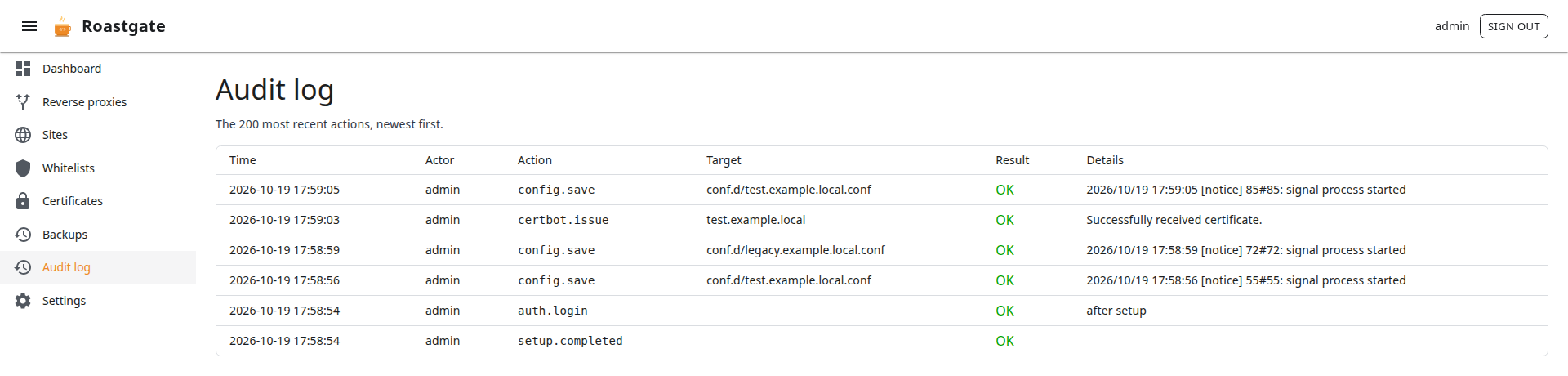
It records sign-ins and failures, password, two-factor and passkey changes, settings changes, every change to your files (save, enable, disable, delete, restore), nginx tests and reloads, and certificate operations.