Settings and configuration
The Settings page
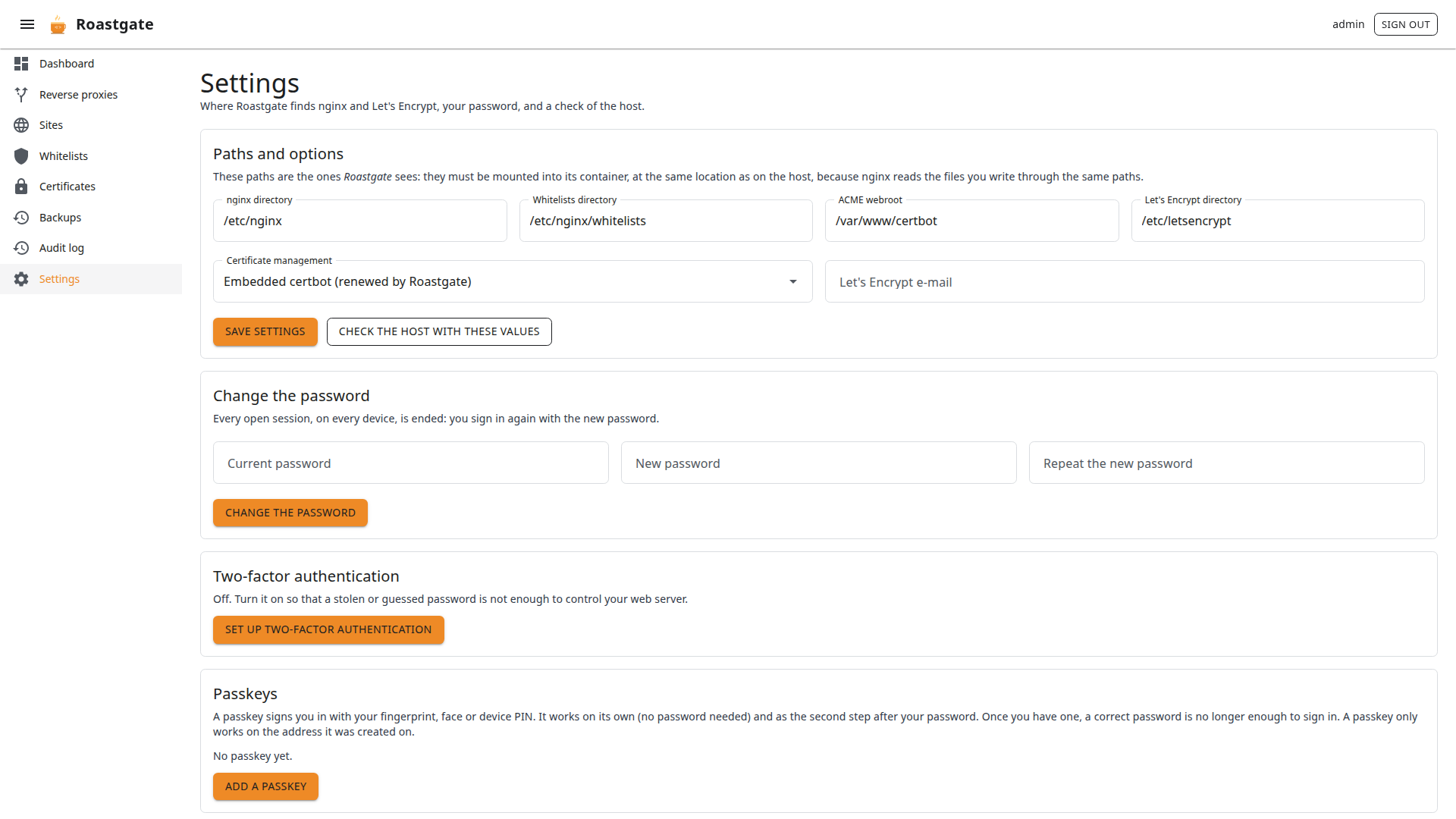
Paths and options
The paths and options chosen during the setup: nginx directory, whitelists directory, ACME webroot, Let's Encrypt directory, certificate management mode and Let's Encrypt e-mail.
These are the paths Roastgate sees: they must be mounted into its container, at the same location as on the host, so that the paths written in your configs mean the same thing for nginx.
- Check the host with these values runs the host diagnostics with what you typed, before you save.
- Save settings validates the values the same way as the setup.
Change the password
Needs the current password. Every open session, on every device, is ended: you sign in again with the new password.
Two-factor authentication and passkeys
See Account and security.
About this instance
Shows the account you are signed in with, the Roastgate version, how host commands are run, the data directory, and whether forwarded headers and secure cookies are on.
Environment variables
Set them in the environment section of docker-compose.yml, then run docker compose up -d. All are optional.
| Variable | Default | Purpose |
|---|---|---|
ROASTGATE_SETUP_TOKEN | random at each start | fixed setup token, 16 characters or more |
ROASTGATE_SECURE_COOKIES | false | mark the session cookie Secure: enable it when you reach Roastgate over HTTPS |
ROASTGATE_TRUST_FORWARDED_HEADERS | false | read the client address from X-Forwarded-For / -Proto: only behind your own reverse proxy |
ROASTGATE_DATA_DIR | /data | where roastgate.db lives (mount a volume there) |
ROASTGATE_HOST_EXEC | nsenter | nsenter runs commands in the host namespaces, direct runs them in the container (development) |
TZ | Europe/Paris in the compose file | time zone of the dates shown in the interface |
See Reach Roastgate through nginx for when to enable the cookie and header options.