Whitelists
A whitelist is a file of allow lines in the whitelists directory (/etc/nginx/whitelists by default):
allow 203.0.113.10;     # front desk
allow 2001:db8::/32;
On its own, it does nothing: it applies wherever a config includes it, followed by deny all;.
Create a whitelist
From Whitelists, click New whitelist.
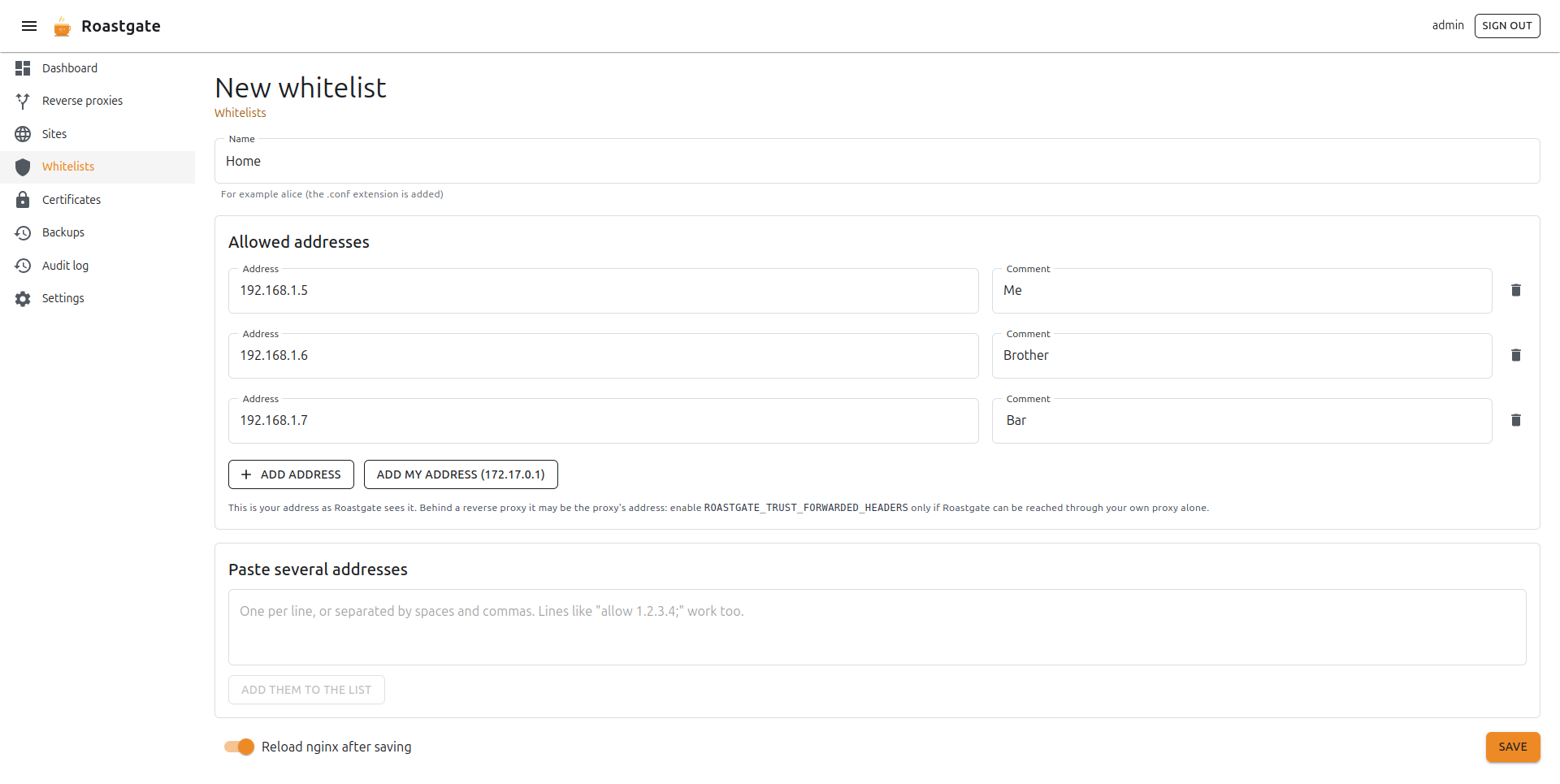
- Name: for example
alice; the.confextension is added. - Allowed addresses: one address and an optional comment per line. Click Add address for a new line.
- Add my address: adds the address you are connecting from, as Roastgate sees it.
- Paste several addresses: one per line, or separated by spaces and commas. Lines like
allow 1.2.3.4;work too. Click Add them to the list.
Each address is validated as you type: IPv4, IPv6 and CIDR ranges. The validation is strict: 1.2, 0x7f.0.0.1 or 10.0.0.5/24 (host bits set, which nginx silently ignores) are flagged instead of being written.
If you reach Roastgate through a proxy, Add my address may show the proxy's address. Enable ROASTGATE_TRUST_FORWARDED_HEADERS only if Roastgate can be reached through your own proxy alone (see environment variables).
Use a whitelist
The easiest way is the Access tab of the wizard: tick the whitelist and save.
In a hand-written config, the whitelist page gives you the lines to copy (How to use it). Add them inside the server or location to restrict:
include /etc/nginx/whitelists/office.conf;
deny all;
return comes firstnginx evaluates return before allow and deny: a location that only does return 200; ignores the whitelist.
An empty whitelist allows nobody once it is used with deny all;.
Where is it used?
The Whitelists page shows, for each whitelist, its number of addresses and the files that use it.
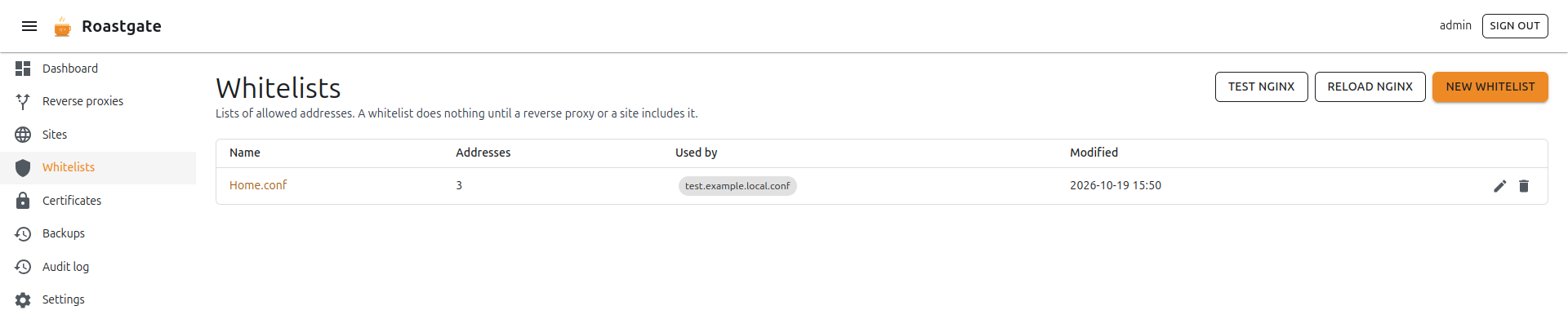
On the page of a whitelist, the Used by section lists every proxy and site that includes the whitelist, with the line number. It understands relative and absolute paths, quoted or not, and wildcard includes. A use in a disabled file is marked as not active.
A whitelist that is still included cannot be deleted. For includes in files Roastgate does not read (such as nginx.conf), nginx -t remains the last safety net.
Raw editing
The edit as raw text link opens the whitelist in the raw editor. A file that holds anything other than allow lines (a deny, a comment between lines…) is never rewritten by the list editor: Roastgate opens it as raw text instead, so nothing you wrote is lost.